Coding conventions
We hope you appreciate the effort we have made to keep the code consistent and readable. This relies on all contributors adhering to a strict style guide, which is set out below. If you want to contribute code to the repository, it will be judged against these criteria and you will be asked to revise it if they are not met.
Using Clang Format
Note that we use the Clang Format tool to maintain a uniformly formatted code base. The settings are provided in the .clang-format file in the base directory of the code.
We use clang-format to maintain our coding style, and it is enforced for any new pull requests to the main branch. However, even if you do not plan to contribute to the public code we recommend using it, as having a clear and consistently structured code helps avoid errors and makes your code more readable.
Note that some of the following instructions will only work with newer versions of Python (e.g. v3.6+). If you are working on a cluster, the system Python version may be too old (As of January 2020, Python 2 is deprecated and should be avoided.) and you may need to load a newer version from a module.
Getting Clang Format
We recommend installing clang-format using the Python package manager pip (see here if you don't have pip available). You should install the version that is current enforced by the GitHub action that checks it (currently v19 at time of writing, NB: this is different to what GRChombo uses). This can be done with a command such as
python3 -m pip install --user clang-format==19.1.7
Note that the --user flag means that clang-format will be installed to your home directory (specifically $HOME/.local/bin) rather than a system directory but you can of course omit this flag and install to a system directory if you prefer and have superuser permissions. Make sure the directory in which it is installed is in your PATH environment variable so you can run the command clang-format without having to specify the full path. This can be done by adding the line
export PATH=${HOME}/.local/bin:$PATH
to your ~/.bashrc file (assuming you are using BASH - the corresponding file for ZSH is ~/.zshrc).
Alternatively, you can install clang-format using your system's package manager (e.g. apt on Ubuntu/Debian) or Homebrew on macOS. However, this will probably install a different version to the one we check with which may result in slightly different formatting.
Running Clang Format
Before committing any changes that you have made, you should run clang-format on all files by executing the run_clang_format script in the repository base directory.
Alternatively, you may be able to set up your text editor to automatically run clang-format when you save a file. There are guides for several editors such as
* Vim
* Emacs
* Atom
* VS Code
* Sublime
Note that some of these guides may assume you have installed clang-format in a different way to that described above. If you set up your editor using one of these guides make sure they are enforcing the -style=file option as this will use our style configuration rather than a different one.
Setting up the pre-commit hook
Since it is easy to forget to run clang-format, we have added a pre-commit hook to check the formatting before committing.
To set up the pre-commit hook on your local clone of the repository, install the pre-commit python package using a command such as
python3 -m pip install --user pre-commit
Then cd into your local clone of GRTeclyn e.g.
cd /path/to/GRTeclyn
and run
pre-commit install
The next time you try to commit a change, it will configure the pre-commit hook environment which may take a minute or two but subsequently it should be much faster. If there are any staged changes which do not conform to the style, it will not allow you to commit and will make the necessary changes to format the code correctly. Note that these changes will not be staged and you will have to manually do this with git add.
General conventions
In general we follow the conventions found in the style guide for C++ here.
One of our key rules is that variable names should not be abbreviated. Everything should be called something recognisable, even if it takes longer to type.
All code should be commented frequently but concisely. Please provide references to a specific arXiv paper where you use a formula that is not generally known or which has several variants.
Specific additions or differences to the standard C++ conventions
- We use a tab width of 4 spaces
- Braces
{}should be on their own line for loops and conditionals (enforced by Clang Format) - Variable names - underscored lower case e.g.
shift_advec_coeff - Class names - nouns using camel case e.g.
ScalarField - Function names - verbs using lower case e.g.
compute_rhs() - Member variables m and underscore e.g.
m_level - Function arguments a and underscore e.g.
a_level - nth derivative is denoted by
d+ number e.g.d1.chi,d2.chietc - Derivatives indices on tensors are located last, e.g.
d2_xyofA_ijwill be denoted asd2.A[i][j][x][y]. - Specify tensor index types with upper case cap, e.g.
h_UUis $h^{ij}$. If unmarked, the default is lower e.g.his $h_{ij}$. (Note - two exceptions to this rule areGamma/chris.contractedandshiftwhich are both U.) - No abbreviations apart from:
ptr int chris advec rhs deriv vars coeff phys conf div num Re Im Zdot= $\dot{Z}$ butZ_dot_stuff= $Z\cdot \mathrm{stuff}$- By default the quantities are the conformal ones (e.g.
Gammais $\tilde{\Gamma}^i$),phys= not conformal,conf= explicitly conformal - Operators on an object are not underscored
- Greek vars - the use of capital letters makes a difference, so Pi != pi.
- User enums c_name. Otherwise caps and underscore - e.g. FILL_GHOST_CELLS
Git[Hub] conventions
Here are some things that you should do when using the code in terms of Git[Hub]:
- All branch names should be in lower case.
- Any spaces in branch names should be replaced with underscores.
- Please use
enhancement/your_branch_namefor any general code improvements and modifications of existing features,feature/your_branch_namefor any new features andsimulation/your_branch_namefor any edits to the code for the purpose of simulations.bugfix/ISSUE_NUMBERcan be used for bug fixes, and should be linked to an issue. - When writing commit messages, please try to follow this style guide.
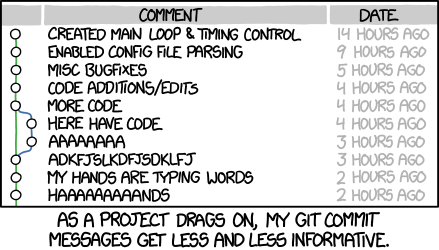
In particular,
* Rather than writing one long message using a command such as
bash
    git commit -m "My really really really long single-line commit message that goes on for far too long"
do
bash
    git commit
which should open you into a text editor where you can separate out the
short title of the commit from a more detailed description in the body (this
is not always necessary for small changes).
> :information_source: Note
> The default editor is usually vim but if
> you prefer a different editor you can change it using the command
> bash
> git config --global core.editor "<my preferred text editor command>"
>
* The title of your commit message should be
* Ideally less than 50 characters.
* Written in the imperative mood i.e. it should complete the sentence
"If applied, this commit will ...".
* Start with a capital letter but omit the full stop.
* The body of your commit message (if necessary) should
* Wrapped at 72 characters.
* Explain what and why you have made the change.
* Link to any relevant GitHub issues.
* Rebase your commits to avoid lots of tiny ones! For example a commit that says
"forgot a semi-colon" should not exist. The command is
bash
  git rebase -i
- For small pull requests the policy is to squash the commits into one, but for larger amendments (of more than say 1-2 files) commits should be left intact.